
If you don’t want to post your content to any destination instantly, don’t worry. Affpilot has it’s own built in Editor. After generating a post you will see a button ‘Open Editor’. Press it and you will find your content in editor mode.

Here is an overview

To make your life easy it has some features-
Content Customization Tool – Here you will find options like forward, backward, bold, heading, and other tools to customize your content. Edit your content if you want to refine it.

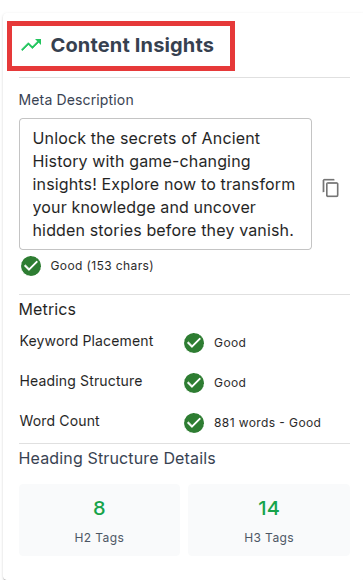
Content Insights – This is a statistics tool for your content. It evaluates key aspects such as meta descriptions, keyword placement, heading structure, and word count, providing feedback to ensure optimal performance. With detailed insights into heading tags (e.g., H2 and H3) and overall metrics, it helps users refine their content for better readability and search engine visibility.
And finally here is a control panel from where you can post to your sites, Copy the content or save your updated content.
