
First go to the dashboard and select blogger

Then press “Add Website” and continue with google and choose an account. Press any account you want to continue with


Now in blogger choose that little dropdown button and click here, then click “New Blog”
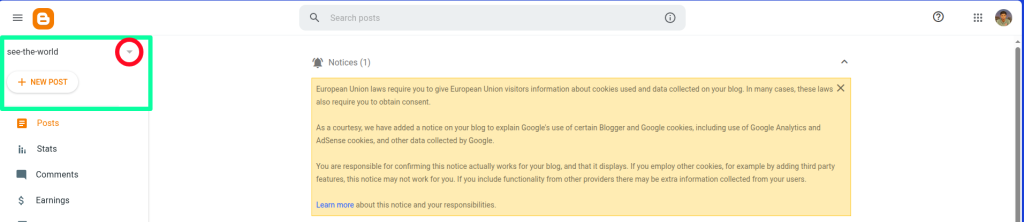

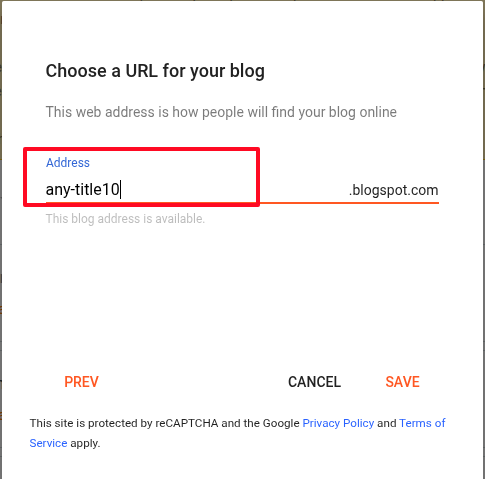
Choose a title, Provide an address –

Now see the URL bar right up there and copy the last numbers you see. It is actually the blogger id. It is highlighted with a red line. You will need that –

Provide the site name you used when creating the blogger account – for me it was “you-can-choose-any-article” or you can provide any name here, it will work. Then for blogger id you provide the blogger id you copied from URL. Then Press “Add blogger site“.

After submitting your input successfully, you’ll see a list like this. From here, you can also update or delete your account.


To delete your website tap the delete button as shown above and you will see a pop up like this.

Hit delete button and your blogger account related info will be deleted.