
To explore competitor website and get the list of sitemap with URL and post title, Affpilot provide “Competitor Sitemap Explorer” service. Click on this button from the sidebar.

By clicking on this button, you will see the below page. Where you can input competitor website to get their information.

Write your competitor domain or URL, and click on the “SEARCH“ button.

You will get Post Titles/Keywords, word count, link from your competitor websites sitemap. You can export those as CSV file, open their blog, and generate acticle by selecting keyword/post titles.
By selecting keyword and clicking on “Generate Article” button, you will see:
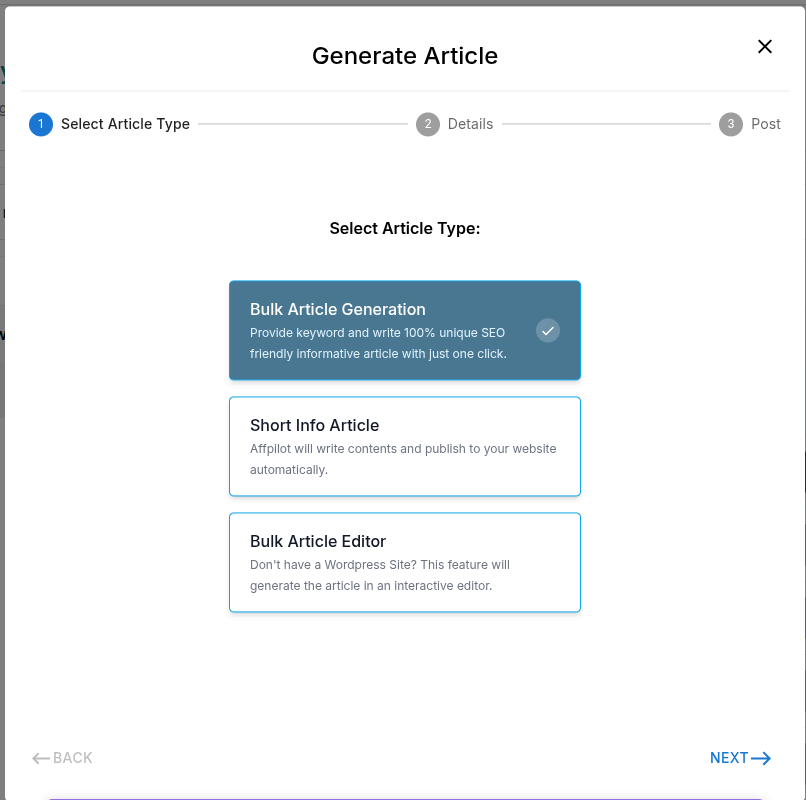
Select the type of article you want to generate, then click Next button. And fill all the values there:

After that, click on Next.

Now selecting option click on “Write Info Article” button. Affpilot will generate article for those selected keywords.